Select the model you want to generate your video with.
Same orientation as the reference video. Supports up to 30s video generation.
No Watermark
Private
Free Kling 2.6 Motion Control Online
Control character movement, posture, and expression to create motion that feels stable, natural, and believable.
See What’s Being Created with Kling 2.6 Motion Control
From viral clips on TikTok to creative threads on X, Kling 2.6 Motion Control is showing up everywhere. Creators are using Kling AI Motion Control to animate VTubers, remix dance performances, and turn static characters into expressive videos that feel alive. This gallery captures the kinds of videos people are sharing right now — fast-moving, personality-driven, and built with Kling AI.
What Makes Kling AI Motion Control Stand Out
Motion That Feels Smooth and Consistent in Kling 2.6 Motion Control
With Kling 2.6 Motion Control, movement, timing, and facial expression remain stable across the entire clip. Instead of jittery motion or drifting poses, animation feels continuous and intentional, helping creators produce more believable videos for avatars, storytelling, and cinematic content.
Kling AI 2.6 Motion Control Performs Reliably During Complex Movement
Fast choreography, expressive acting, sports motion, and dynamic gestures are handled more reliably with Kling AI 2.6 Motion Control. Even when actions become complex, motion stays structured and readable, which is why many creators rely on it for performance-driven and personality-rich videos.
Gestures and Body Language Look More Natural in Kling AI Motion Control
Subtle details such as hand movement, posture, pointing, and expressive gestures look more natural with Kling AI Motion Control. This makes a visible difference for VTubers, talking avatars, presenters, and character-focused videos where believable body language matters as much as facial expression.
Longer Creative Sequences Enabled by 30s Motion in Kling 2.6 Motion Control
Kling 2.6 Motion Control supports continuous motion across clips up to 30 seconds, allowing characters to perform through longer scenes without frequent resets or broken continuity. This extended 30s capability works well for short films, storytelling clips, performance videos, and creative sequences where timing across the full scene matters.
Create with Kling 2.6 Motion Control Free Online With VidFul.ai
Follow these simple steps to get started with our platform.
Upload a Motion Reference Video
Start by adding a short video that contains the movement, gestures, or performance you want to transfer. Kling 2.6 Motion Control uses this reference to understand timing, posture, and expression.
Choose a Character Image
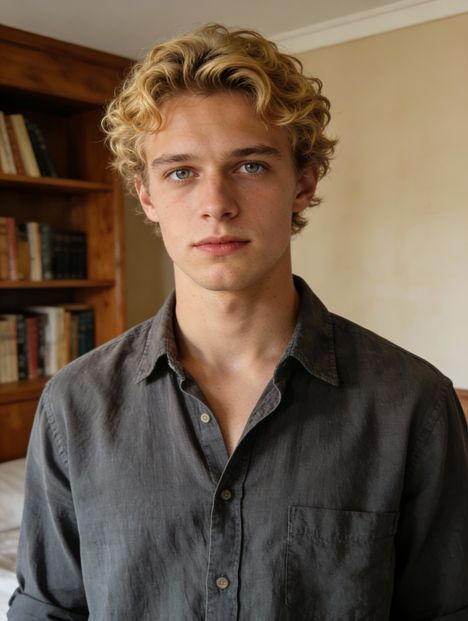
Upload the character you want to animate — a portrait, avatar, VTuber, illustration, or stylized figure. Kling AI Motion Control applies the motion naturally while preserving the character’s visual identity.
Generate and Refine Your Video
Generate your result and preview the animation. You can adjust prompts, explore different visual styles, or reuse the same motion across multiple characters to refine the final output.
Seeing the Differences Between Kling 2.6 Motion Control, Runway Act-Two, and Wan 2.2 Animate
Stability and Texture in the Christmas Sweater Dance
In this comparison, Kling 2.6 Motion Control delivers the most grounded result, with the character’s weight feeling natural and the knitted sweater texture remaining sharp without blur. Runway Act-Two captures the overall motion but introduces a subtle floating effect, where the feet do not appear fully planted. Wan 2.2 Animate maintains stability but looks noticeably stiffer, with less fluid momentum during movement transitions.
Lighting and Muscle Detail in Spider-Man Motion Transfer
This test highlights how each model handles tight materials and complex body movement. Kling 2.6 Motion Control preserves muscle definition and reflective surface detail while keeping lighting interaction consistent. Wan 2.2 Animate produces an acceptable result but with flatter lighting and reduced visual depth. Runway Act-Two struggles most in this case, with anatomical inconsistencies during fast limb motion that make the character appear rubbery or distorted.
Cloth Physics and Identity Retention in Suit Dance
The loose-fitting suit makes this sequence especially challenging. Kling 2.6 Motion Control shows clear strength here, with natural jacket movement, realistic tie swing, and stable facial identity throughout the performance. Wan 2.2 Animate handles motion better than Runway but lacks convincing fabric dynamics and physical weight. Runway Act-Two exhibits severe deformation issues, including broken proportions and unstable leg structure during the dance.
Practical Tips for Better Results with Kling 2.6 Motion Control
Follow these helpful tips to get the most out of our platform.
Use Clear Motion References with Kling 2.6 Motion Control
Choose reference videos where the subject is easy to see and the movement is continuous. Clean footage helps Kling 2.6 Motion Control follow timing, posture, and expression more accurately, resulting in smoother overall motion.
Keep Body and Limbs Visible for Better Kling AI Motion Control
For best results, make sure the head, torso, arms, and hands are not cropped out or blocked. Kling AI Motion Control performs more reliably when full body movement remains visible throughout the clip.
Match Framing Between Video and Character in Kling AI
Try to keep your character image aligned with the reference framing (for example, full-body with full-body). This helps Kling AI avoid proportion issues and improves overall motion consistency.
Avoid Fast Cuts for More Stable Kling AI Video Generator Results
Highly edited videos with rapid cuts or heavy camera movement can reduce output quality. Steadier shots usually produce more consistent results when using the Kling AI video generator.
Refine Style Prompts After Motion Looks Right in Kling 2.6 Motion Control
Once motion feels natural, you can use prompts to explore different backgrounds, lighting, and visual styles. Kling 2.6 Motion Control makes it easy to reuse the same performance while experimenting creatively.
What People Are Making with Kling 2.6 Motion Control
Dance and Rhythm Clips with Kling 2.6 Motion Control
Creators often use Kling 2.6 Motion Control to remap dance performances onto new characters while keeping timing, momentum, and footwork feeling grounded. It’s especially useful for short, high-energy clips where the motion needs to stay clean and readable from start to finish.
Character Acting and Gesture-Heavy Performances with Kling AI Motion Control
For performances that rely on expressive gestures—hand movement, pointing, posture shifts, and natural body language—Kling AI Motion Control is commonly used to keep the action feeling intentional rather than stiff. This workflow fits creator content, presenter-style videos, and character performances where subtle motion sells the realism.
Costume, Fabric, and Outfit Motion with Kling AI 2.6 Motion Control
When a scene includes loose clothing, jackets, skirts, or accessories that need to move believably, Kling AI 2.6 Motion Control is used to maintain a stronger sense of physical “weight.” This is a popular choice for suit-style performances, fashion-driven characters, and clips where cloth behavior is a big part of the look.
Cinematic Character Shots with the Kling AI Video Generator
Creators use the Kling AI video generator for short cinematic sequences where motion consistency and visual polish both matter—superhero-style motion, dramatic poses, and camera-friendly character performances. It’s a practical way to prototype scenes, test alternate characters, and generate multiple stylistic versions from the same performance.